Witchcraft Icons: Simple and Clean Icon Design for Every Project
Witchcraft Icons bring a refreshing approach to modern iconography. Rooted in simplicity and clean lines, this set of 100 vector icons is designed to be immediately useful across a wide range of mediums — from websites and mobile apps to printed flyers, banners, posters, and social media graphics. Whether you are a professional designer, a small business owner, or a content creator, the promise of Witchcraft Icons is straightforward: high-quality visuals that are easy to customize and even easier to integrate into your workflow.
In this article, we will explore what makes Witchcraft Icons stand out, where they can be applied, who benefits most from using them, and what practical considerations you should keep in mind when evaluating whether this icon set fits your next project.
What Are Witchcraft Icons?
Witchcraft Icons is a curated collection of 100 vector-based icons that follow a simple and clean design philosophy. Every icon is built with clarity in mind, avoiding unnecessary ornamentation while preserving distinctive silhouettes and meaningful symbolism. The result is a set that feels cohesive, modern, and adaptable.
The strength of Witchcraft Icons lies in their versatility. Because they are delivered as editable vector files — including Source File Ai, EPS Version 10, SVG, and PNG with transparency — you are never locked into a fixed style. You can resize them from a tiny mobile button to a large poster graphic without losing sharpness. You can change colors to match your brand palette. You can even adjust stroke weight if you need a bolder or more delicate look. And because the files are organized for easy drag-and-drop placement, the technical barrier to using them is extremely low.
Key Features That Define the Set
Before diving into use cases and benefits, it helps to understand the specific features that make Witchcraft Icons a practical tool.
- High Quality Design — Every icon has been carefully crafted to maintain visual balance at multiple sizes. The shapes are clean, the curves are smooth, and the overall aesthetic feels deliberate rather than generic.
- 100 Vector Icons — The set includes exactly 100 distinct icons, giving you a broad enough library to cover common interface needs, thematic illustrations, and decorative elements without overwhelming you with redundancy.
- 100% Customizable — Because the icons are vector-based, you have full control over every element. Change fill colors, modify outlines, rotate, scale, or combine icons to create new symbols.
- Editable Stroke — Stroke weight is fully adjustable. This is especially valuable when you need icons to match a specific visual style, such as a thin-line interface or a bolder print design.
- Easy Drag and Drop — The files are organized so that you can simply open them and place them directly into your project. No complex importing procedures or file conversion headaches.
- Multiple File Formats — The package includes Source File Ai (Adobe Illustrator native), EPS Version 10 (widely compatible with CorelDRAW and other vector software), SVG (perfect for web and responsive design), and PNG with transparency (ready for immediate use in presentations or quick mockups). A Readme.txt file is also included to help you get started.
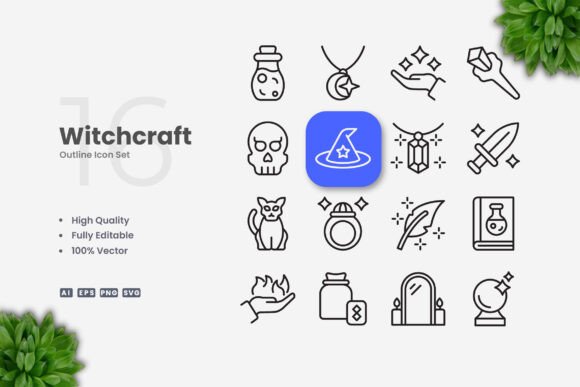
Importantly, the preview mockup shown in promotional materials is not included — but that is standard practice. What you receive are the raw, editable icon files themselves.
Where Can You Use Witchcraft Icons?
The short answer is: almost anywhere you need clear, scalable visuals. Let us break down the most common scenarios.
Websites and Mobile Apps
For digital interfaces, Witchcraft Icons work exceptionally well as navigation aids, feature indicators, or decorative accents. The SVG format is particularly useful here, as it keeps file sizes small and ensures crisp rendering on retina and high-density screens. Whether you are building a landing page, a dashboard, or a mobile app menu, the clean design helps maintain a professional, uncluttered user experience.
Social Media Graphics
Social media posts often need visual hooks that communicate quickly. Icons from this set can be used as bullet points, background motifs, or focal elements in Instagram stories, Facebook posts, LinkedIn articles, and Twitter banners. Because you can change colors easily, matching your brand identity takes only a few seconds.
Infographics and Presentations
Infographics rely on icons to break down complex information visually. The simplicity of Witchcraft Icons ensures that your audience understands the concept without being distracted by overly detailed illustrations. Similarly, in slide presentations, using consistent iconography can reinforce your message and make your slides more memorable.
Print Materials — Flyers, Banners, Posters, and Books
Print projects demand high-resolution assets, and vector icons deliver exactly that. Whether you are designing a flyer for an event, a banner for a trade show, a poster for a campaign, or interior graphics for a book, Witchcraft Icons can be scaled to any size without pixelation. The EPS and Ai formats are especially well-suited for professional print workflows.
Who Benefits Most from Using Witchcraft Icons?
Witchcraft Icons are designed to serve a broad audience, but certain user groups will find them particularly valuable.
Designers and Creatives
If you are a graphic designer, web designer, or illustrator, you likely need a reliable icon set that does not require hours of cleanup. Witchcraft Icons give you a solid foundation that you can customize quickly — adjusting strokes, swapping colors, or combining icons to create new symbols. The editable nature of the files means you are not confined to a rigid set; you can adapt them to the specific mood and style of each project.
Business Owners and Entrepreneurs
Small business owners who manage their own branding often need professional-looking assets without hiring a full design team. This icon set provides that professional polish at a modest investment. You can use the icons on your website, in your email newsletters, on printed brochures, and across your social media channels. The included PNG files are especially handy for quick uploads.
Content Creators and Bloggers
Bloggers, YouTubers, and social media influencers rely on visual consistency to build brand recognition. Witchcraft Icons can be used as section dividers, call-to-action buttons, thumbnail elements, or even as consistent visual motifs across your content library. The SVG format makes them easy to embed in web-based content without losing quality.
Educators and Trainers
For those creating educational materials — whether online courses, handouts, or slide decks — icons can illustrate concepts more effectively than text alone. The clean design ensures that learners focus on the information rather than being distracted by overly ornate graphics.
Strengths
- Scalability without quality loss — Vector formats mean you can go from favicon size to billboard size without degradation.
- Customizability — Because you control color, stroke weight, and size, the icons can adapt to virtually any visual identity.
- File format flexibility — Having Ai, EPS, SVG, and PNG in one package ensures compatibility across software (Adobe Illustrator, CorelDRAW, Figma, Sketch, and more).
- Low learning curve — Drag-and-drop simplicity means even users with limited design experience can integrate the icons into their projects.
Considerations and Limitations
- Preview mockup not included — The promotional images you see are for display only. The actual files contain the raw icons, not staged scenes. This is standard for icon packs, but it is worth noting so expectations are clear.
- 100 icons may not cover every niche — While the set is generous, it is not exhaustive. If your project requires very specialized or esoteric symbols (e.g., highly specific industry equipment), you may need to supplement with additional icons or create custom ones.
- Style is minimal by design — If you are looking for highly detailed, illustrative, or ornate icons, Witchcraft Icons may feel too clean for your taste. The strength of the set is its simplicity, but that same simplicity may not suit every aesthetic.
- Software required for editing — While PNG files are ready to use immediately, editing the vector files does require software like Adobe Illustrator or CorelDRAW. Free alternatives like Inkscape can also work, but the workflow may not be as seamless.
Real-World Scenarios: How Witchcraft Icons Fit Into Projects
Let us walk through a few concrete examples to illustrate how Witchcraft Icons can be used in practice.
Scenario 1: Launching a New Website
Imagine you are building a small e-commerce site for handmade candles. You need icons for categories like "scent," "ingredients," "shipping," and "gift wrap." You open the Witchcraft Icons set in Adobe Illustrator, select relevant icons, adjust the stroke weight to match your site's clean aesthetic, and change the color to your brand's warm amber tone. You export them as SVG files and drop them directly into your web design tool. The entire process takes under an hour.
Scenario 2: Creating a Social Media Campaign
You are a content creator promoting a "30-day wellness challenge." You want each day's post to include a small icon representing the day's theme — water, movement, rest, gratitude, etc. Using Witchcraft Icons, you pick 30 suitable icons, batch-change the color to your campaign's pastel palette, and export them as PNGs with transparency. You then layer them onto your social media templates. The consistent icon style gives your campaign a cohesive, professional look.
Scenario 3: Designing a Conference Flyer
A local business conference needs a printed flyer featuring icons for networking, workshops, keynote speakers, and registration. You open the EPS file in CorelDRAW, select the four icons you need, resize them to fit the flyer layout, and adjust stroke weight so they remain legible at print size. Because the vectors are resolution-independent, the printed result is sharp and clear.
How to Evaluate If Witchcraft Icons Are Right for You
When considering any icon set, ask yourself these questions:
- Does the style align with my brand or project aesthetic? — Review the overall look. If you value minimal, clean visuals, Witchcraft Icons are likely a strong match.
- Do I have the tools to edit vector files? — If you own or have access to vector editing software (Adobe Illustrator, CorelDRAW, Affinity Designer, or free tools like Inkscape), you will unlock the full potential of the set. If you only need PNGs, those are included too.
- Are 100 icons enough for my use case? — For most websites, apps, and marketing materials, 100 icons cover the essentials. If you need a massive library of niche symbols, you may need a larger or more specialized set.
- Do I value customization flexibility? — The editable stroke and 100% customizable vector files give you control that pre-rasterized icon sets cannot match.
If your answers lean positive, Witchcraft Icons offer a practical, high-quality solution that can save you time and elevate your visual communication.
Final Thoughts
Witchcraft Icons deliver exactly what they promise: a clean, simple, and highly usable icon set that adapts to a wide range of mediums. From websites and mobile apps to social media graphics, infographics, flyers, banners, posters, and books, the combination of high-quality vector design, editable strokes, and multiple file formats makes this a versatile toolkit for designers, business owners, content creators, and educators alike.
The set is not about flashy mockups or unnecessary complexity. It is about giving you solid, well-crafted icons that you can make your own — quickly, easily, and without friction. Whether you are a seasoned professional or someone just starting to build a visual brand, Witchcraft Icons provide a reliable foundation to work from.
Remember, the preview images you see are for illustration purposes only; what you get are the raw, editable files ready for your projects. If your work calls for icons that are simple, clean, and built to be customized, this set deserves a close look.