The Power of Web Layout Icons in Modern Design
Understanding Web Layout Icons and Their Core Purpose
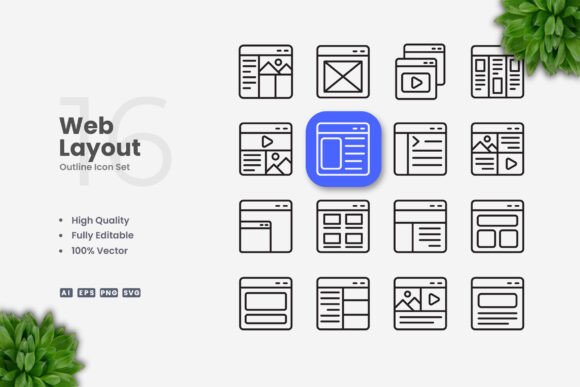
In the digital age, visual communication has become as important as textual content. Web Layout Icons serve as a universal language that bridges the gap between complex interfaces and user intuition. These compact visual symbols represent actions, objects, and concepts without relying on words. A simple and clean icon design philosophy ensures that each graphic remains immediately recognizable, whether placed on a crowded dashboard or a minimalist landing page. The primary role of these icons is to guide users, reduce cognitive load, and enhance the overall aesthetic of any digital product.
Designers often turn to vector-based Web Layout Icons because they offer infinite scalability and precise control. Unlike raster images that lose quality when enlarged, vector files maintain sharp edges and consistent proportions. This makes them indispensable for responsive web design, where icons must adapt to various screen sizes from smartphones to large monitors. The clean lines and uncluttered shapes typical of this approach align perfectly with modern UI trends that favor simplicity over ornamentation.
Minimalism as a Guiding Principle
A simple and clean icon design strips away every unnecessary detail. Each stroke serves a purpose, and negative space is used deliberately to improve legibility. For example, a home icon might consist of just a door and a roof silhouette, avoiding shadows or gradients. This minimal approach ensures that icons work well even when rendered at small sizes on mobile screens or in print at limited resolutions. The emphasis on clarity means that users can interpret the meaning almost instantly, which is critical for tasks like navigation or form completion.
Editable Stroke Weight and Color Flexibility
One of the standout features of modern icon sets is the ability to adjust stroke weight without distorting the design. When you work with Web Layout Icons in vector software like Adobe Illustrator or CorelDRAW, you can change the thickness of lines to match the surrounding typography or interface elements. Similarly, color is fully customizable. You might need a set of icons in brand colors for a corporate website, or you may prefer monochrome versions for a technical manual. The versatility to edit these properties directly from the source file means that a single icon package can serve multiple projects without requiring a redesign.
Consistency Across a Full Set
High-quality icon collections enforce visual consistency. The same stroke weight, corner radius, and alignment grid are applied to every symbol in a set. This cohesion is vital when icons appear together on a dashboard or within a mobile app. Inconsistent line thickness or varying levels of detail would break the visual rhythm and confuse users. With a well-crafted Web Layout Icons library, you can be confident that a gear icon, a user avatar, and a search magnifying glass all look like they belong to the same family.
Websites and Mobile Apps
The most obvious use case for Web Layout Icons is in digital interfaces. Navigation menus, call-to-action buttons, and feature lists all benefit from iconography. For instance, an e-commerce site might use a shopping cart icon, a wishlist heart, and a filter funnel. In mobile apps, icons occupy limited screen real estate and must be highly recognizable. A simple and clean icon design ensures that touch targets remain clearly defined and that icons do not overlap or become muddy when scaled down. Developers also appreciate icons that can be exported as SVG files, as they can be styled directly with CSS and maintain crispness on retina displays.
Books, Infographics, and Print Materials
Printed media demands high-resolution graphics that do not pixelate. Vector Web Layout Icons are perfect for infographics, where icons illustrate data points or processes. A financial report might use upward arrows, pie charts, and document symbols. In educational textbooks, icons can mark important concepts or act as visual cues alongside text. For flyers and posters, clean icons add a professional touch without overwhelming the design. Since print often uses CMYK color space, having editable vector files allows you to convert colors accurately and adjust stroke widths for different print sizes.
Social Media and Banners
Social media posts and web banners require eye-catching visuals. Icons can serve as background elements, bullet points, or standalone graphics within promotional content. A simple and clean icon design works well because it does not compete with text for attention. For example, a banner announcing a web design service might feature monitor, layout, and code icons arranged in a row. Because these icons are vector, you can resize them to fill a banner without losing quality, and you can edit their colors to match a campaign palette.
Scalability and Resolution Independence
Vector graphics are based on mathematical equations rather than pixels. This means a Web Layout Icon can be enlarged to billboard size or reduced to a tiny app icon without any loss of detail. This advantage is especially valuable when you need to produce multiple assets for different platforms from a single design. You never have to worry about aliasing or blurriness. With the inclusion of SVG files, web developers can embed icons directly into HTML and style them with CSS, making them responsive to zoom levels and screen densities.
Easy Editing and Customization
The files included in a comprehensive icon set—such as Source File Ai, EPS Version 10, and SVG—allow for deep editing. You can change the shape, combine icons, adjust stroke weights, and apply custom colors in minutes. For instance, you might want to create a filled version of an outline icon for a secondary state. With vector software, that transformation is straightforward. The presence of a readme.txt file often provides instructions on how to manipulate the files, ensuring even beginners can make modifications.
Drag and Drop Simplicity
Many icon sets are organized for easy drag-and-drop use. Designers can import SVG or AI files directly into their projects. This workflow saves time compared to recreating icons from scratch. The clean organization of layers and groups within the source files further streamlines editing. You can quickly locate a specific icon, duplicate it, and apply changes without affecting other elements.
Licensing and Attribution
Before using any icon collection, check the license terms. While many Web Layout Icons libraries are free for commercial use, others require attribution. It is important to respect these conditions to avoid legal issues. The preview mockup is typically not included in the actual download, so clarify that the icons themselves are the deliverable.
Stroke Weight and Visual Harmony
When combining icons from different sources, inconsistencies can arise. Stick to one icon set for a project to maintain visual harmony. If you need to mix sets, ensure that the stroke weights and detailing are comparable. Ever-editable stroke capability makes it possible to adjust mismatched icons, but it requires extra effort. Planning ahead by selecting a consistent style saves revision time.
File Format Support
Different software handles vector formats differently. Adobe Illustrator natively opens AI and EPS files, while CorelDRAW works well with CDR and SVG. SVG is the most universally supported format for web use. Verify that your design tools can import the provided formats. The inclusion of PNG files with transparency is helpful for quick placements without opening vector software, but they lack the editability of vector sources.
Designing a Mobile App Navigation
A mobile app developer needs a set of five icons for a bottom navigation bar: home, search, profile, notifications, and settings. The designer opens the AI source file and selects the appropriate icons. With editable stroke, the designer adjusts the line thickness to 2px to match the app's typography weight. Colors are assigned based on the app's primary and secondary palette. The icons are then exported as SVG for React Native integration. Because the icons are simple and clean, they remain distinct even at 24x24 pixels on a high-density screen.
Creating an Infographic for a Business Report
A marketing team wants to produce a one-page infographic highlighting industry trends. They need icons for growth, revenue, customer satisfaction, and market share. Using the EPS version of the icon set, the designer places icons at various sizes throughout the layout. The color of each icon is changed to match the infographic's color scheme. The simple design ensures that the icons do not distract from the data visualizations. The final file is saved as a high-resolution PDF for print.
Building a Consistent Social Media Kit
A content creator develops a series of Instagram posts about productivity. Each post uses a different icon—clock, checkmark, calendar, and target. The icons are taken from the same Web Layout Icons collection to maintain a cohesive look. The stroke weight is kept uniform, and the icons are often placed inside a colored circle background. Because icons are vector, they can be scaled to fill a square post without pixelation. The PNG files with transparency are used for quick uploads, while the SVG files remain editable for future adjustments.
Future Trends in Icon Design and Usage
As user interfaces continue to evolve toward minimalism, the demand for simple and clean icon design shows no signs of waning. Animated icons and micro-interactions are becoming common, and vector-based icons lend themselves well to such effects because they can be transformed programmatically. Additionally, with the rise of design systems and component libraries, the need for scalable, editable icons is greater than ever. Sets that provide multiple formats—AI, EPS, SVG, PNG—and include a readme.txt with usage guidelines will remain valuable resources for professionals, educators, and hobbyists alike.
The adaptability of Web Layout Icons means they will continue to appear across websites, mobile apps, books, social media, infographics, flyers, print materials, banners, and posters. Their versatility is rooted in the core attributes of clean vector design: high quality, 100% vector scalability, full customization, editable strokes, and easy drag-and-drop integration. Whether you are a seasoned designer or a business owner creating your own marketing materials, these icons simplify the visual communication process while maintaining a professional aesthetic.
By understanding the characteristics, advantages, and practical applications of this design approach, you can make informed decisions when building your next project. The right set of icons not only saves time but also elevates the overall user experience, making interfaces more intuitive and documents more engaging. As long as you treat the icon files as raw material rather than finished products, the possibilities are extensive.